SaaS · Creative Tools · Collaboration · UX Design
How I designed a home for Creative Chaos
Context
- •Product: Creative Hub by Adnova: collaborative asset management for creative teams
- •Role: Product Designer. Team of 1 designer, 1 PM, 1 engineer.
- •Timeline: 2024, approx. 2 months
- •Success: Asset creation rate (users actively uploading and organising) and collaboration rate (comments left, feedback resolved, reviews completed). If both were growing, the product was working.
- •Outcome: 700+ teams onboarded. 15,000+ assets managed. 7 tools replaced by 1.
Ad creative teams deal with a lot of files: videos, images, different versions. These files end up in Google Drive, Slack, email, and local folders. It's hard to find things, review them, or know which version is the latest. Creative Hub fixes this. It's one place where your whole team can store, review, and manage every creative asset.
Approach
The goal was to match tools like Frame.io and Air for creative review, then go further: adding ad intelligence, competitor tracking, analytics, and direct ad launching, all in one platform. A creative review tool shouldn't stop at approval. Once a creative is ready, it should go live without leaving the app.
Key decisions
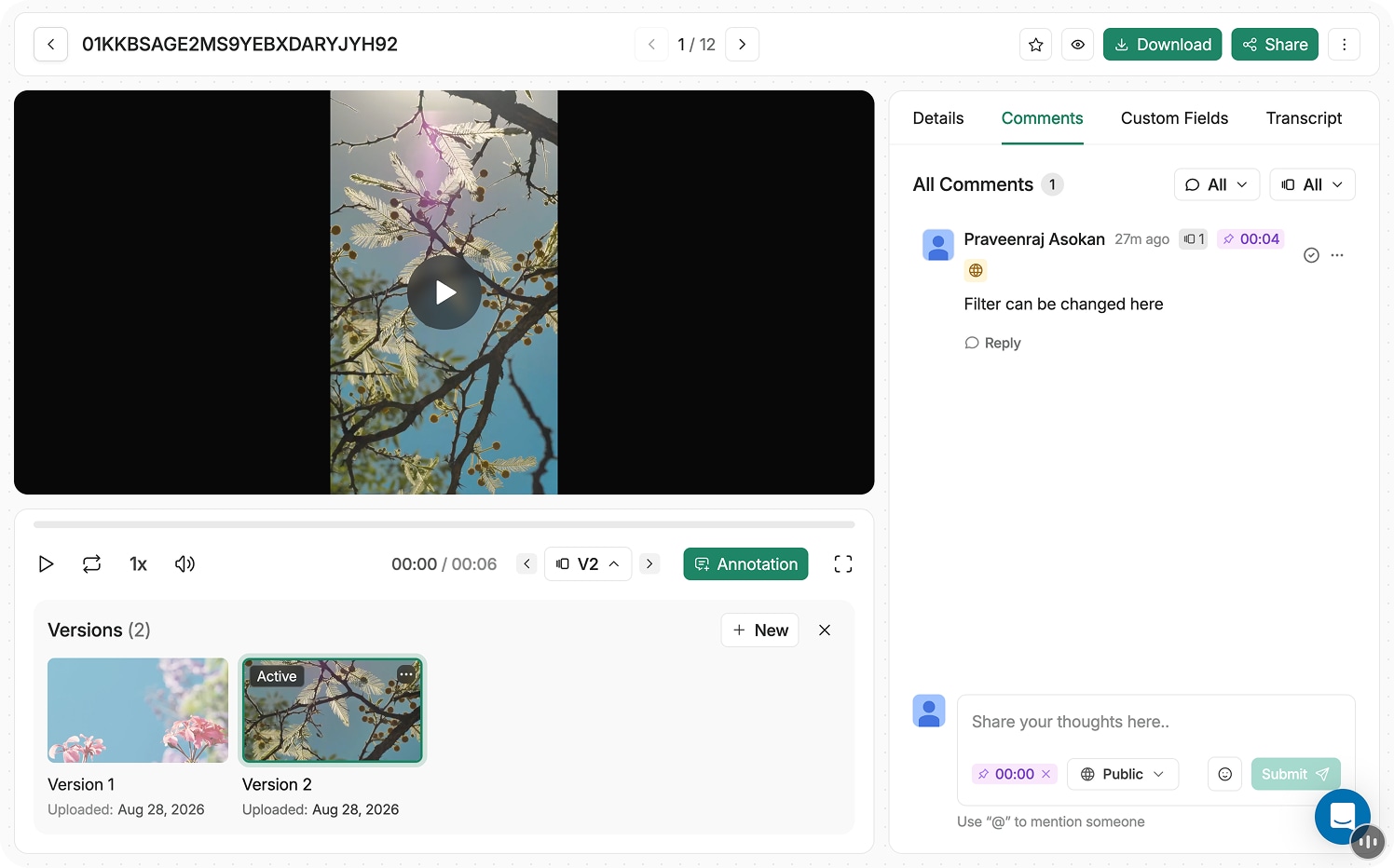
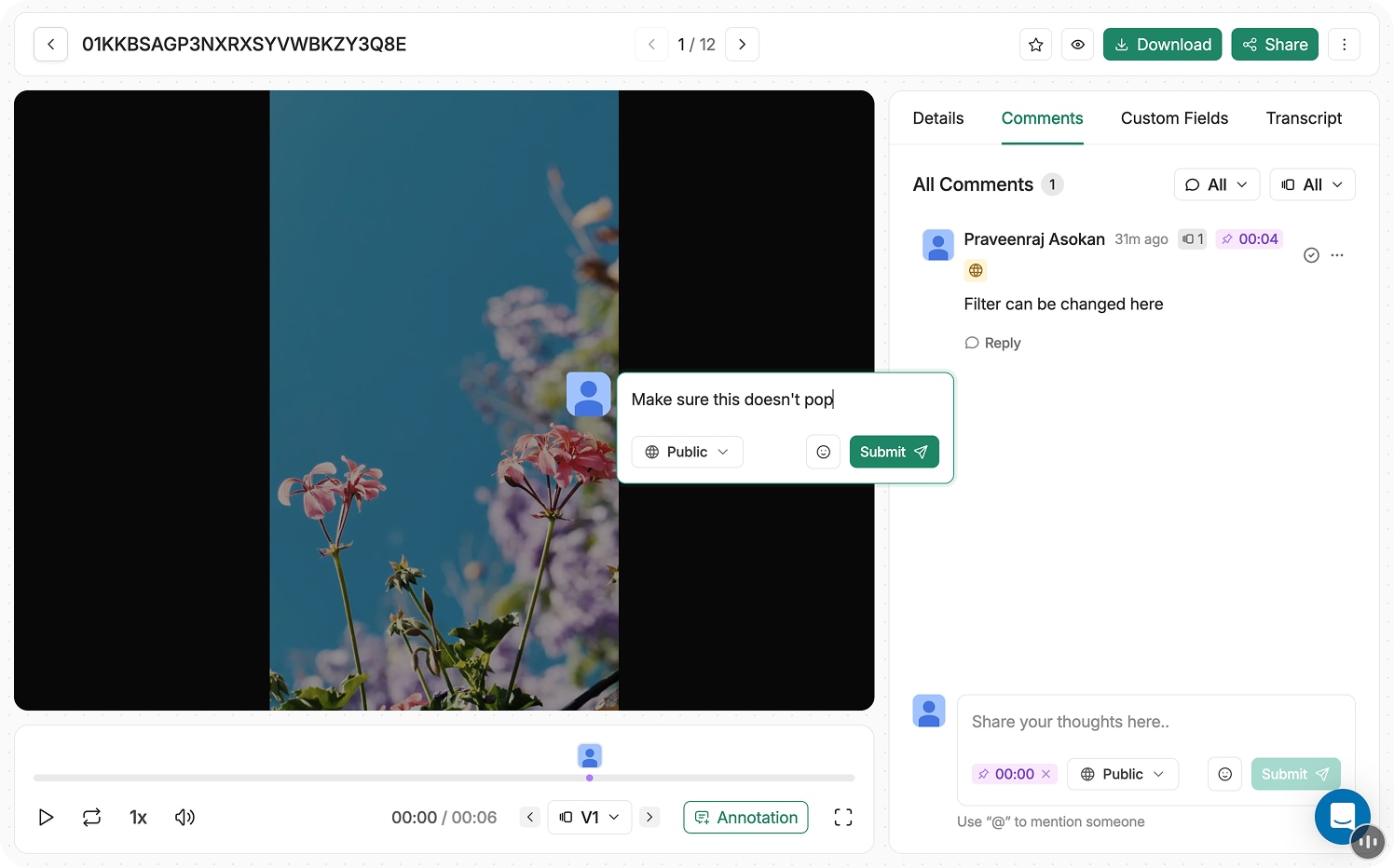
- Timestamped comments. "Fix the transition" means nothing without a timestamp. We pinned every comment to the exact second so creators knew exactly where to make changes.
- Version stacking. Instead of separate files, each new version stacks under the same creative. The latest is always on top, older versions are one click away.
- More than review. Frame.io and Air stop at approval. We added ad launching, analytics, and competitor research: the full workflow in one place.
- Connect ad accounts. Once a creative is approved, connect your Meta or Google account and launch straight from the app. No exporting, no re-uploading.
Solution
Creative Hub has six core features. All assets live in one place. Every version is stacked under the same creative. Feedback is pinned to exact video timestamps. You can draw and annotate directly on a frame. AI search finds any asset instantly. And approved creatives launch straight to your ad account.
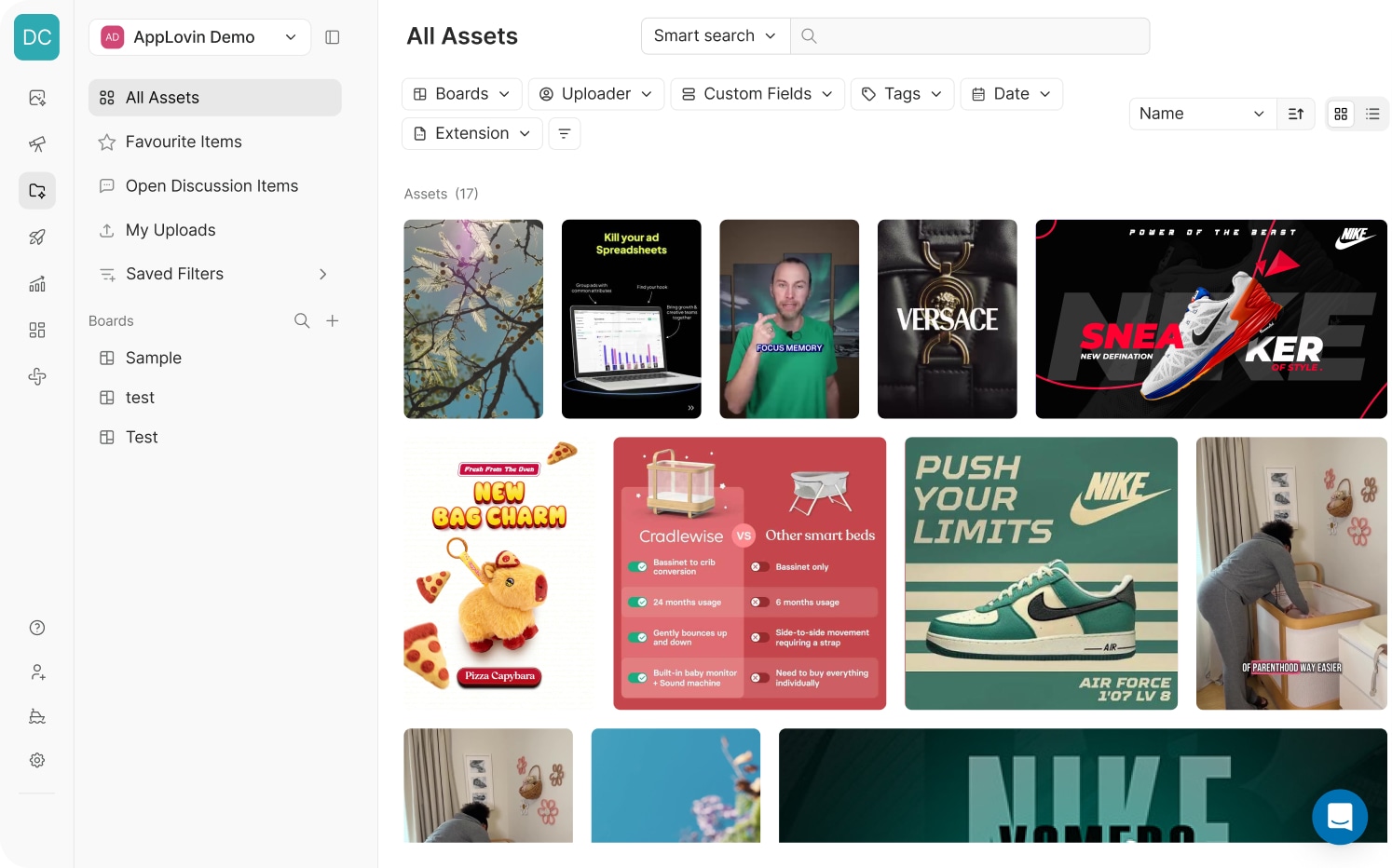
All assets in one hub
Every creative your team has ever made, in one place. Filter by board, uploader, file type, or date. Smart search finds anything in seconds.
Version stacking
Every new version stacks under the same creative. The latest is always on top, older versions are one click away.
Timestamped comments
Leave feedback at the exact second of a video. No more vague notes. Creators always know exactly where to make the change.
Where it fits in Adnova
Creative Hub is one of seven modules in Adnova. It sits in the middle: after you find inspiration or track a competitor, and before you launch and measure an ad. Assets flow through the platform without switching tools or re-uploading anything.
Outcomes
Creative Hub didn't exist before this project. Everything below started from zero.
Jess Bachman
@FireTeam · Adnova User
"You won't find a better team or product than Adnova. It replaces Frame.io, Air, Foreplay, and more: all in one platform."
Reflection
- Look at what competitors are missing. Studying Frame.io and Air showed us what they did well and what they skipped. That gap became our positioning.
- Features come from real problems. Timestamped comments came from watching creators struggle to understand vague feedback. The context told us exactly what to build.
- Don't stop at approval. Most review tools stop when a creative gets approved. We kept going: into launching and analytics. That made it a full workflow, not just a review tool.
- A clear direction makes design faster. When the team agrees on the vision, every decision gets easier. Less debate, more building.