Local-First · Privacy · Personal Productivity · Vanilla JS
How I Designed Pocketbook, a Privacy-First Doc Vault, with AI
Background
The idea started from a personal moment of friction: needing a UAN number and realizing it was scattered across a photo on the drive, a copy in a purse, buried in an old payslip. More broadly, important personal documents are scattered across paper files, phone photos, and random folders. Finding the right one is slow. Uploading sensitive documents to third-party cloud storage raises real privacy concerns. Pocketbook is a locally-run app that fixes both: store once, fetch on demand, keep everything on-device.
Context
- •Product: Pocketbook, a locally-run app for storing and retrieving important personal documents without relying on any cloud service
- •Built: Independently, using an AI coding assistant across short iterative cycles
- •Stack: Vanilla HTML, CSS, and JavaScript. No frameworks, no cloud
- •Live: sujithnivel19.github.io/pocketbook
- •Duration: 2 days
- •Tools used: Claude Code, Claude Design, and Figma
- •Outcome: A working local app where sensitive documents are stored once and fetched on request. No data ever leaves the device
The idea started from a personal moment of friction: needing a UAN number and realizing it was scattered across a photo on the drive, a copy in a purse, buried somewhere in an old payslip. Finding one number meant digging through a pile of unrelated files and documents.
More broadly, important personal documents (IDs, driver's licenses, PAN cards, medical reports) are scattered across paper files, phone photos, and random folders. Finding the right one when it's needed is slow. And uploading sensitive identity documents to third-party cloud storage raises real privacy concerns.
Approach
Built iteratively using an AI coding assistant, working in short cycles: describe a change in plain language, review the diff, check the live preview, repeat. No large upfront spec. Just clear problem statements and fast feedback loops.
Key decisions
- Privacy first. The top priority from day one: everything runs and stays local. No document or extracted detail is ever sent off-device.
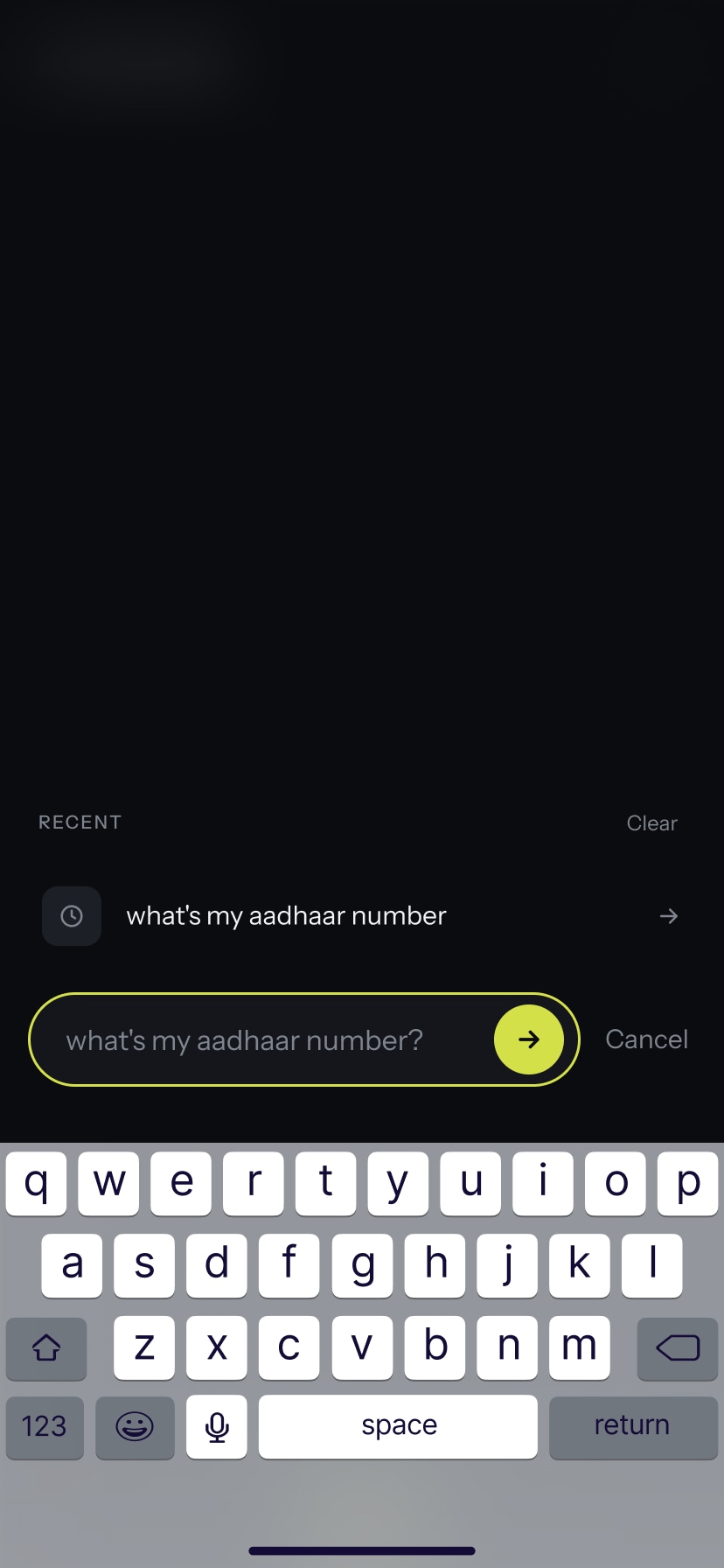
- Fetch with ease. The core requirement: ask for a specific detail (like a UAN number) and get it back directly, without opening or hunting through the source document.
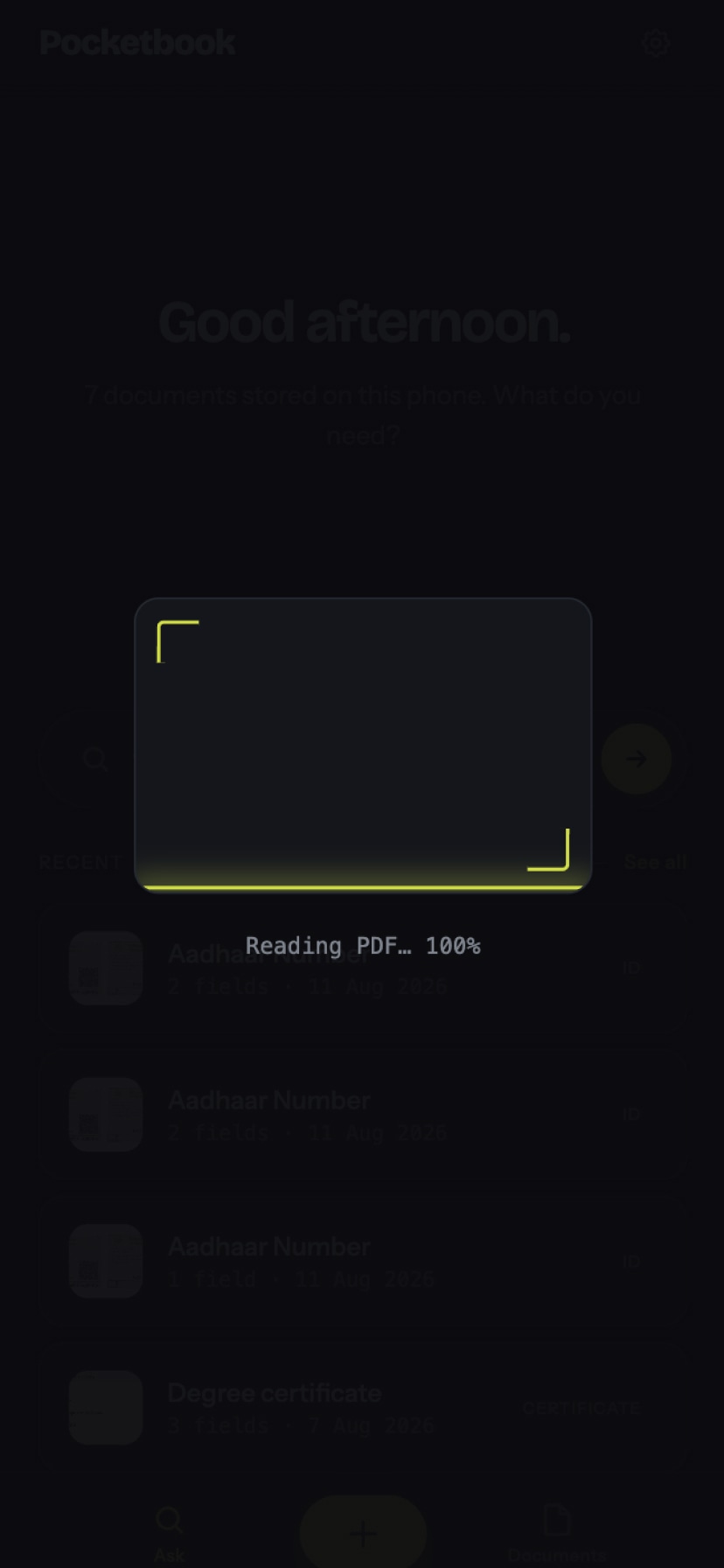
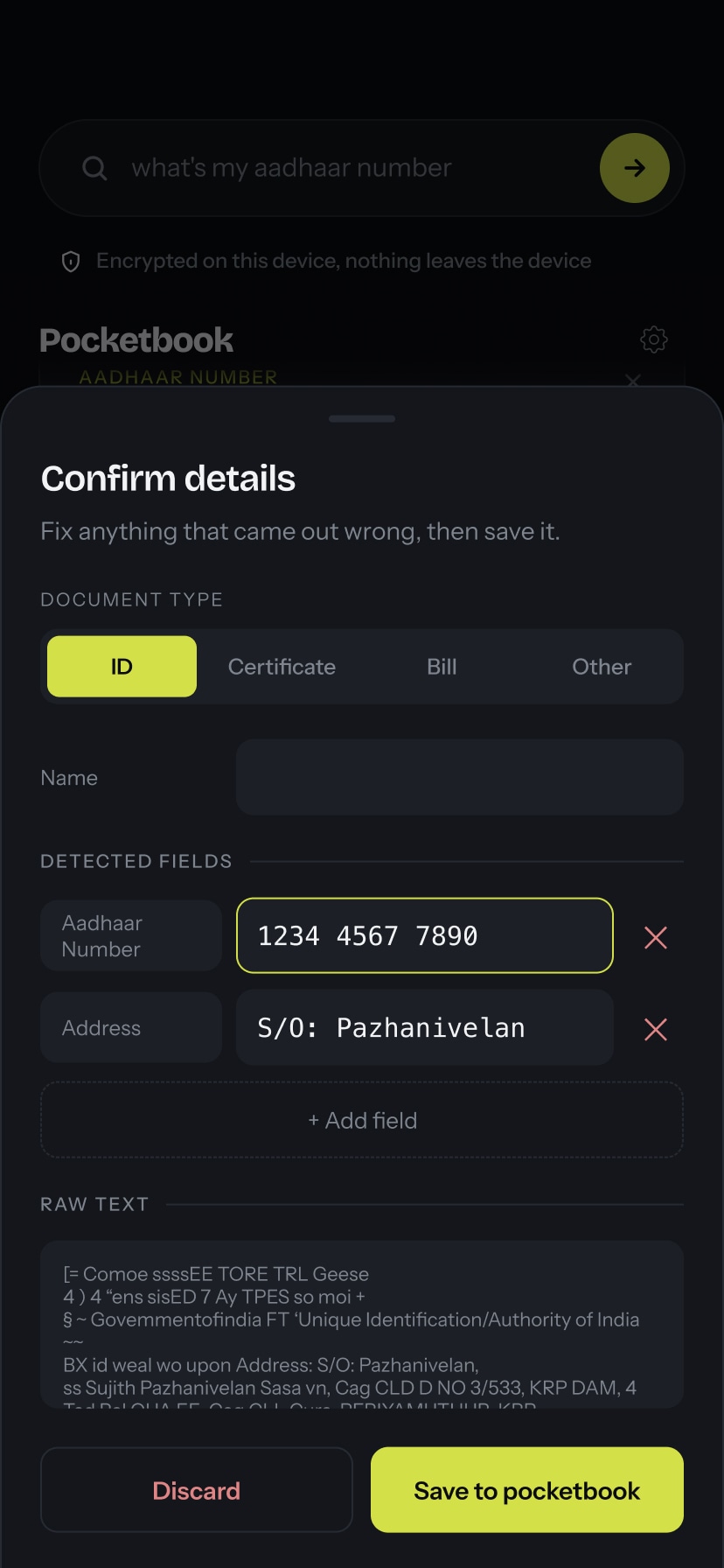
- Text reader engine, not AI. Retrieval is powered by a text reader (OCR) engine rather than an AI model. Documents are scanned and indexed locally, keeping the pipeline lightweight, predictable, and privacy-preserving.
- Dedicated capture module. A standalone
capture.jshandles all document ingestion, separate from the vault itself, so the flow for adding a new document is always clean and focused. - Family profiles. Documents are organised per family member, so a single household can keep all its information in one app without mixing records. The right document for the right person, always.
- Live-tested and iterated. Every change was tested in the browser in real time, then refined based on what didn't feel right, keeping development grounded in what the app actually felt like to use.
Solution
A local web app where documents live on-device. Capture once, retrieve on demand. No account required, no cloud sync, no third-party access. Just a fast, private vault your household can rely on.
Document capture
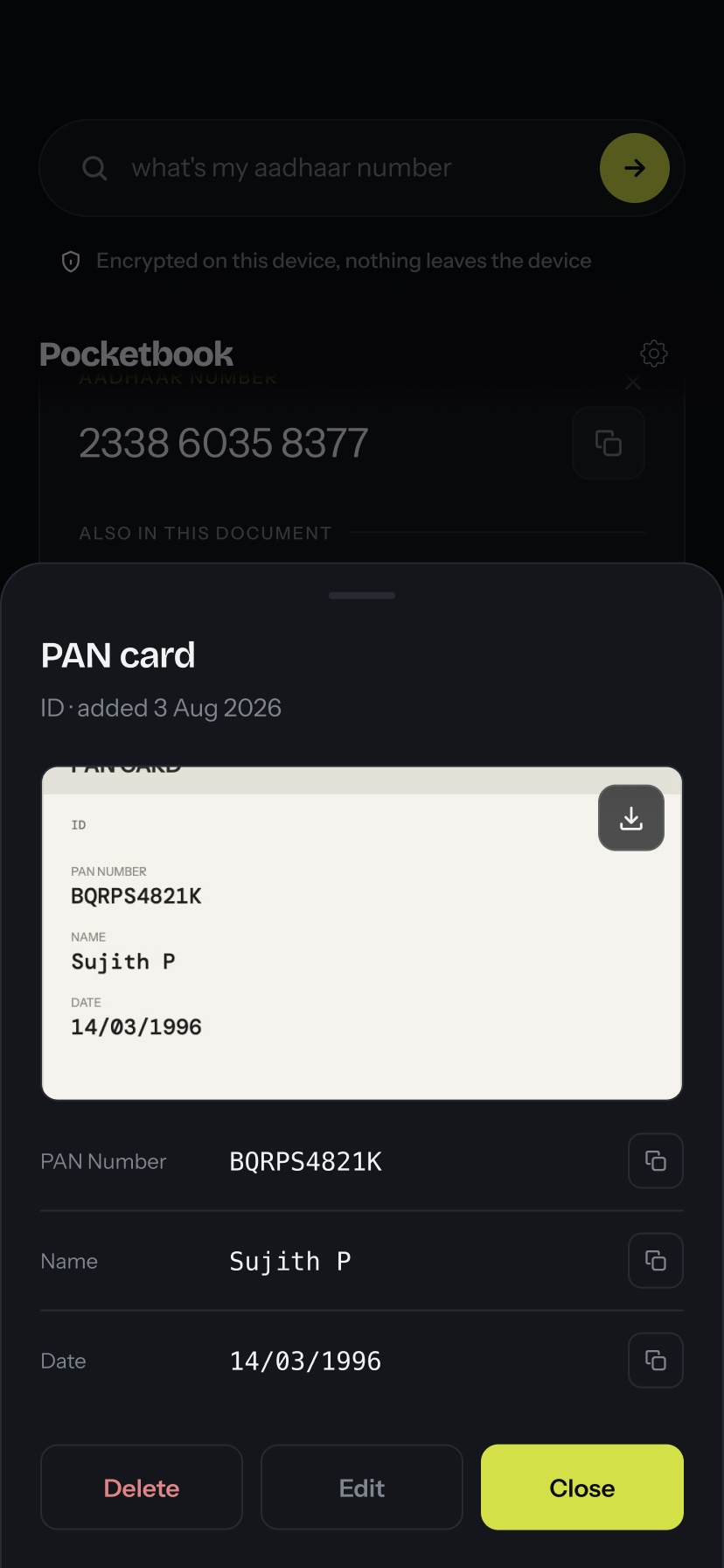
Add any document (photo, scan, PDF) in one flow. The capture module keeps intake separate from browsing so neither experience is cluttered.
Fully local
Nothing leaves the device. No cloud sync, no account sign-up, no third-party servers. Identity and medical documents stay entirely private.
Fetch on demand
Store once, retrieve instantly. The app is lightweight by design: fast to open, fast to search, fast to hand over the right document.
Family profiles
Future featureOne vault, multiple members. Documents are scoped per person, so a shared household stays organised without records getting mixed up.
Screens
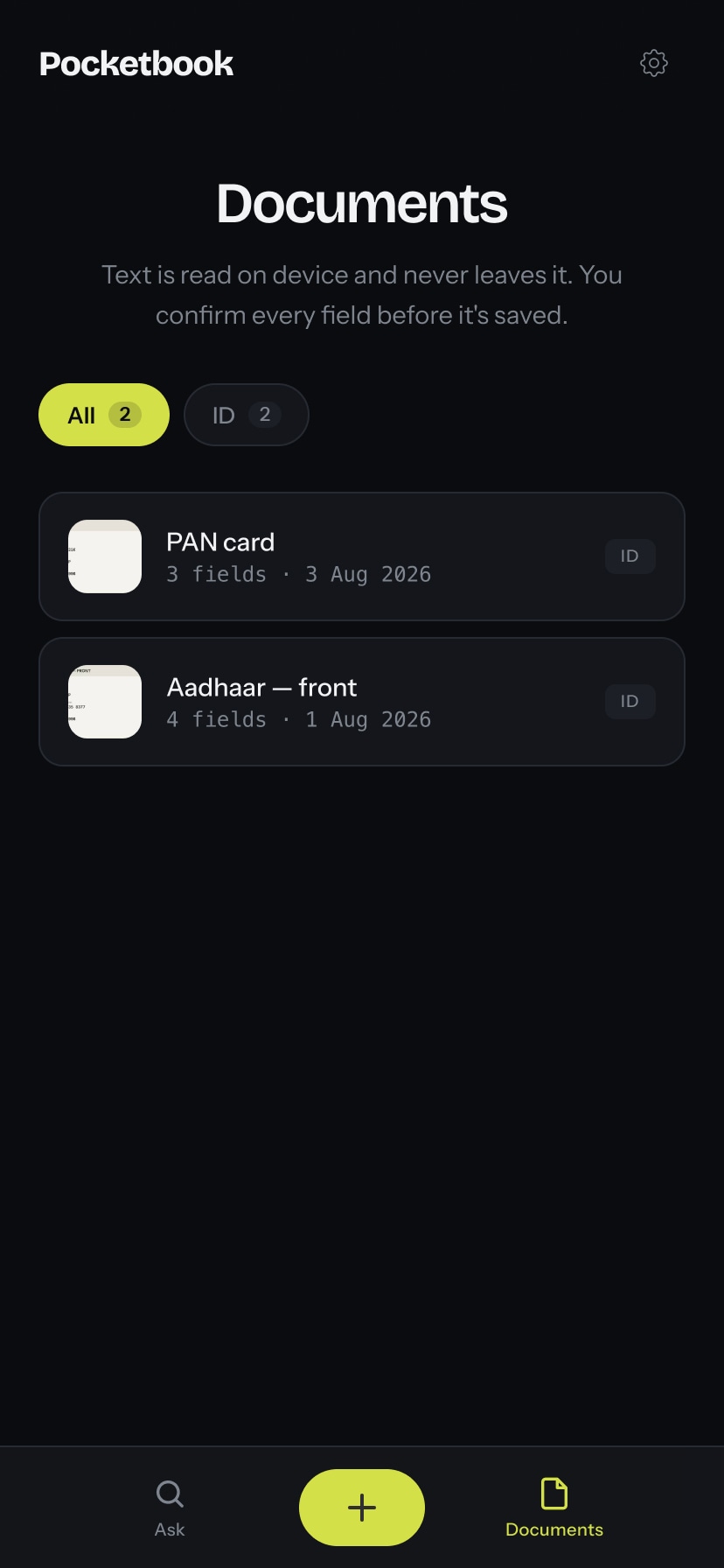
Document vault
Text extraction
Confirm fields
Edit document
Fetch
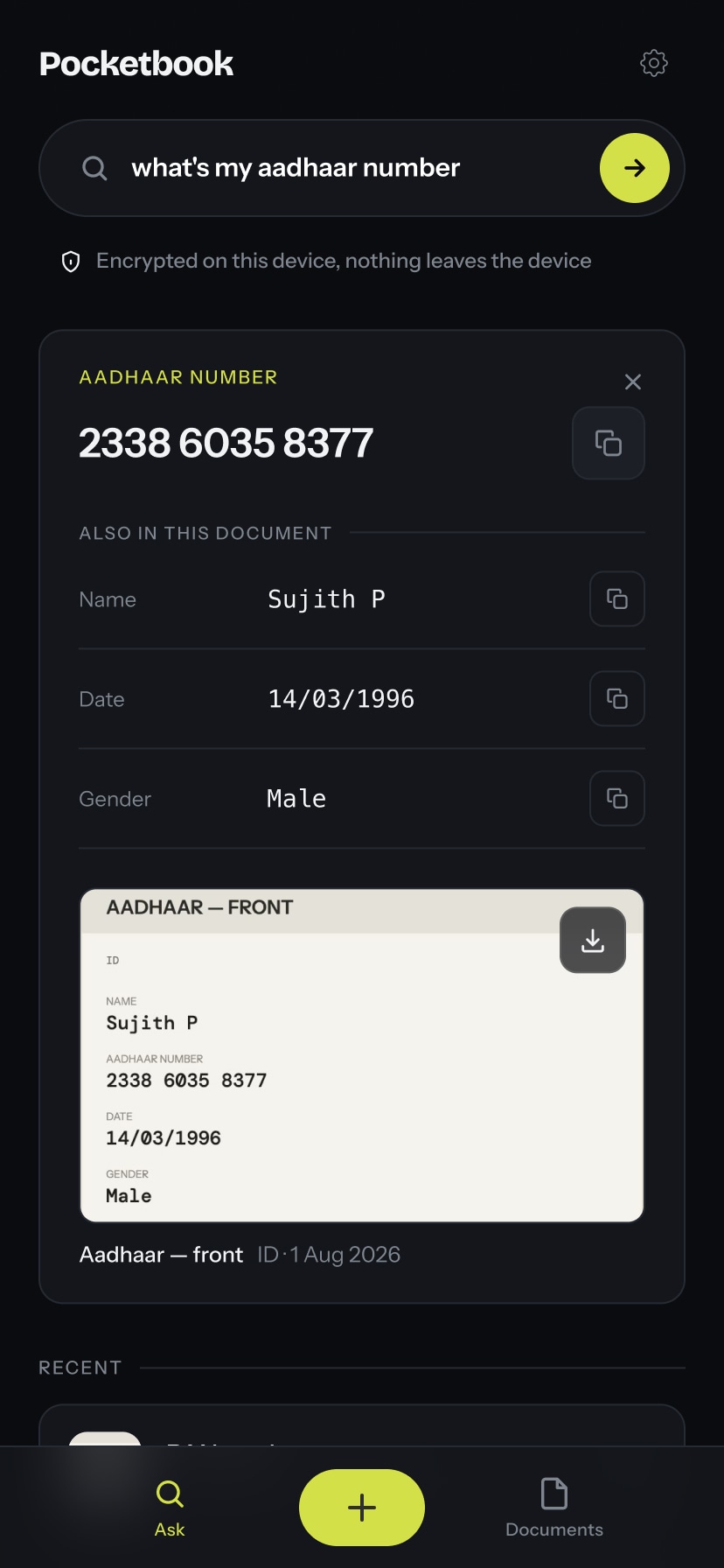
Fetch result
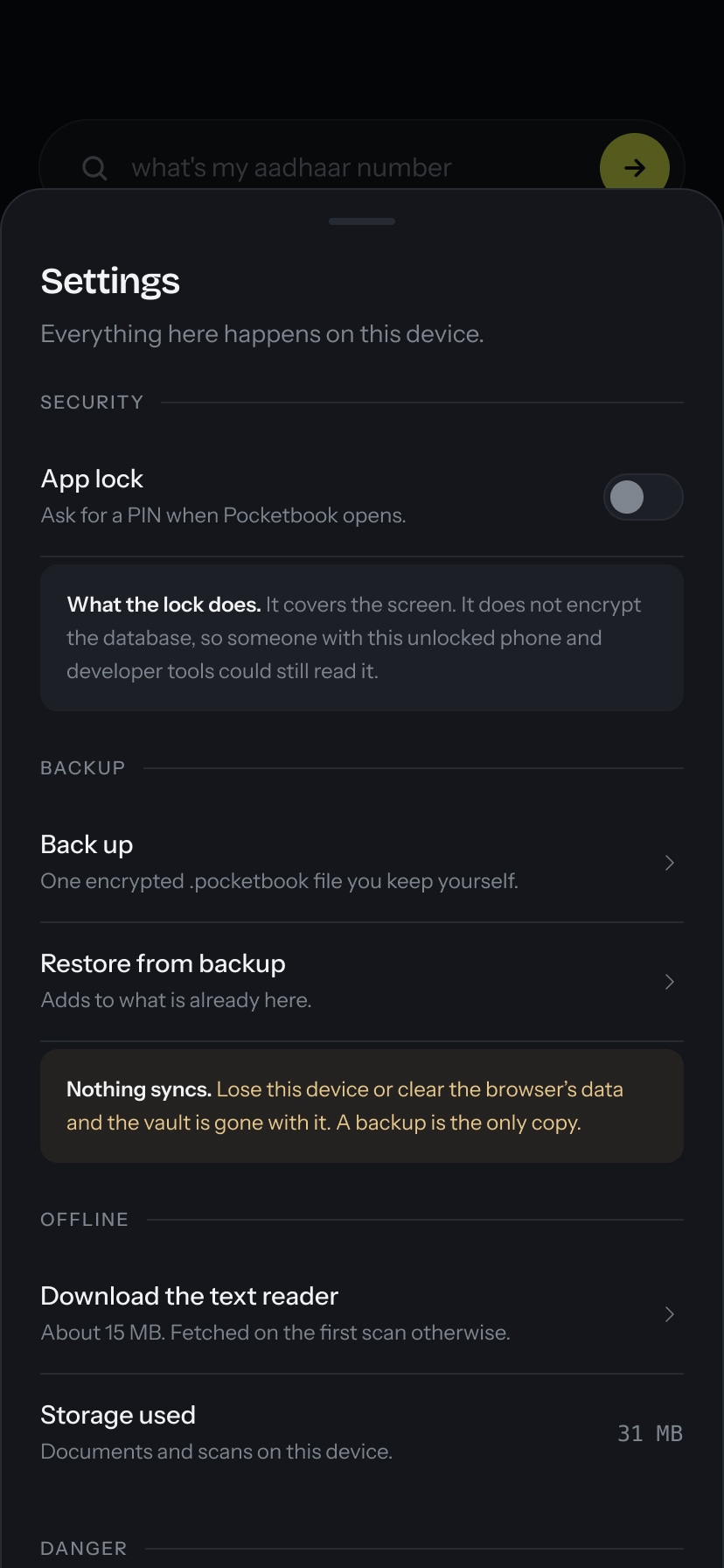
Settings
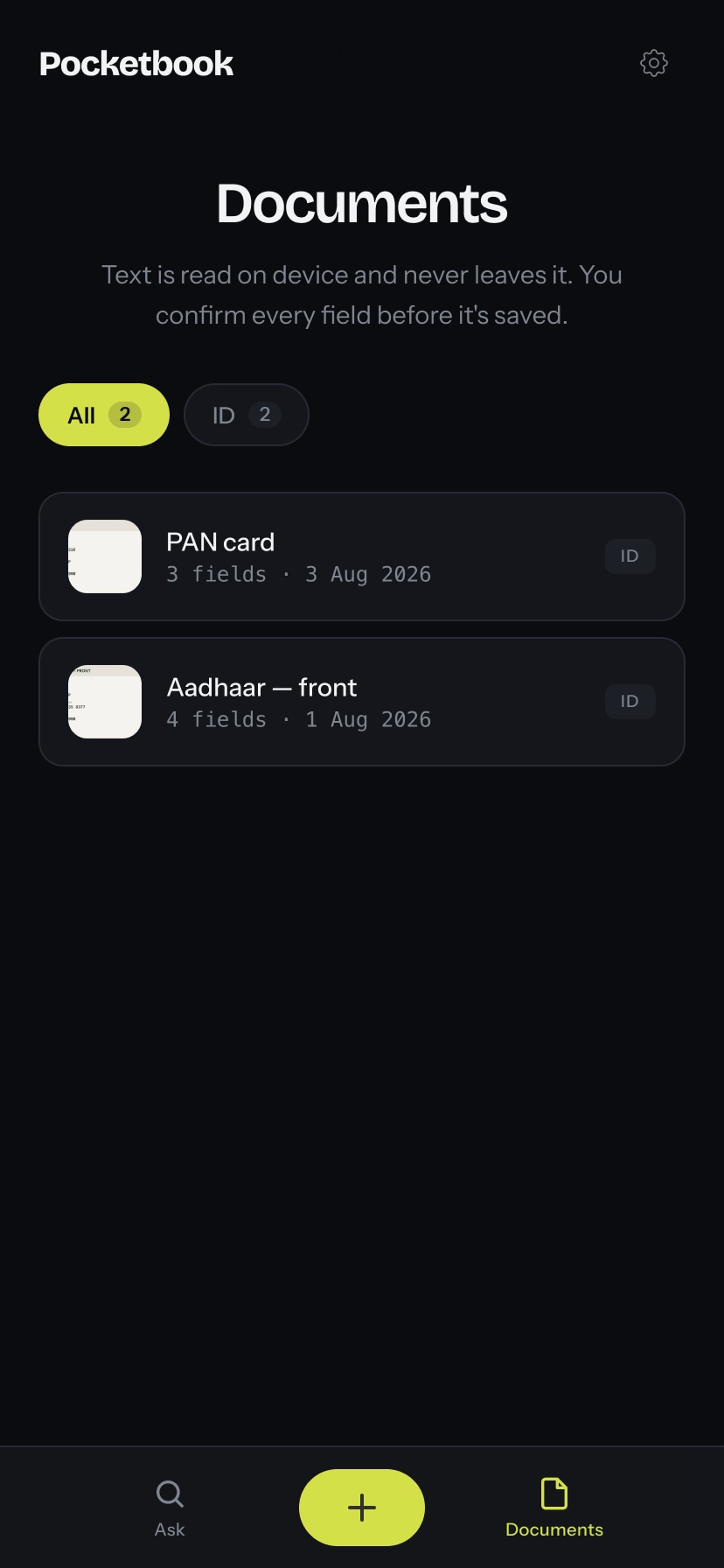
Document vault
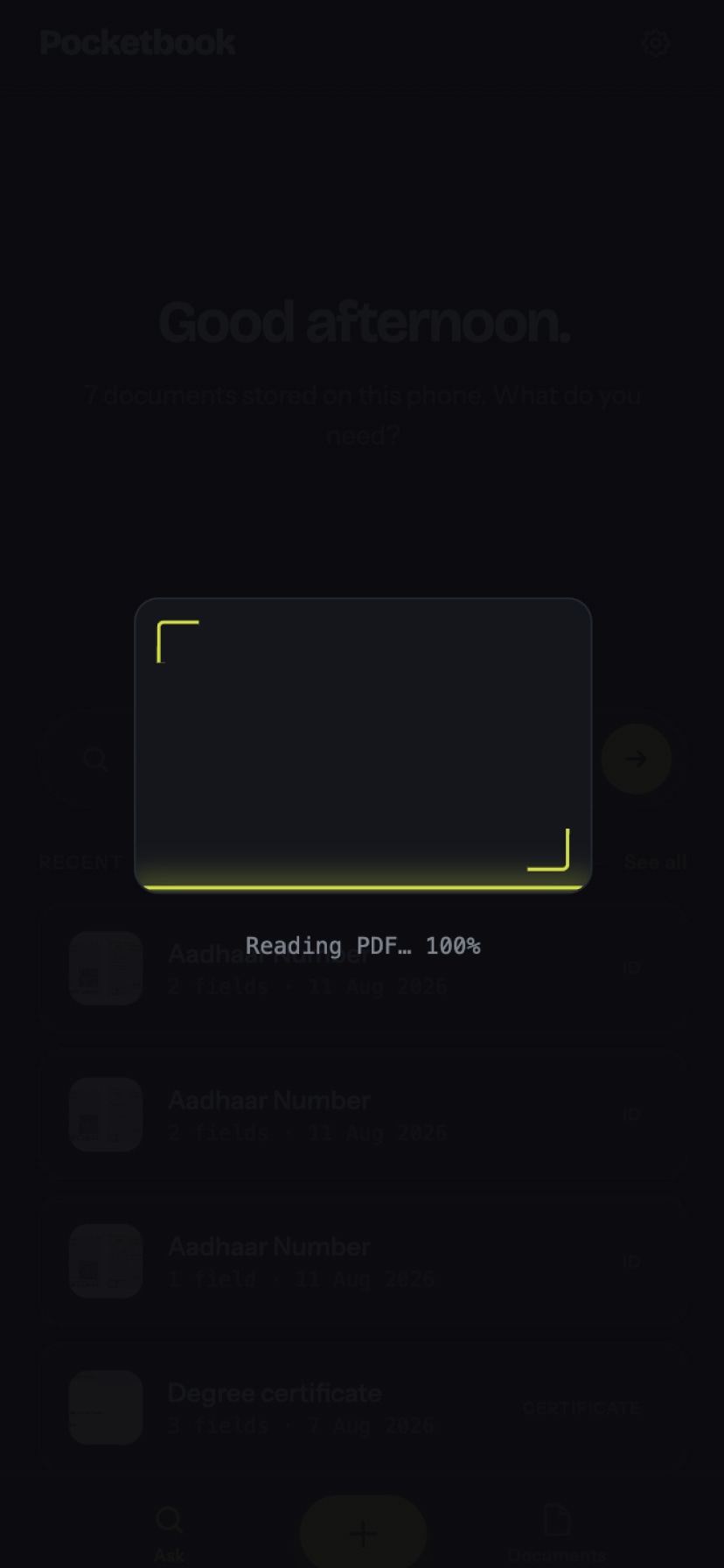
Text extraction
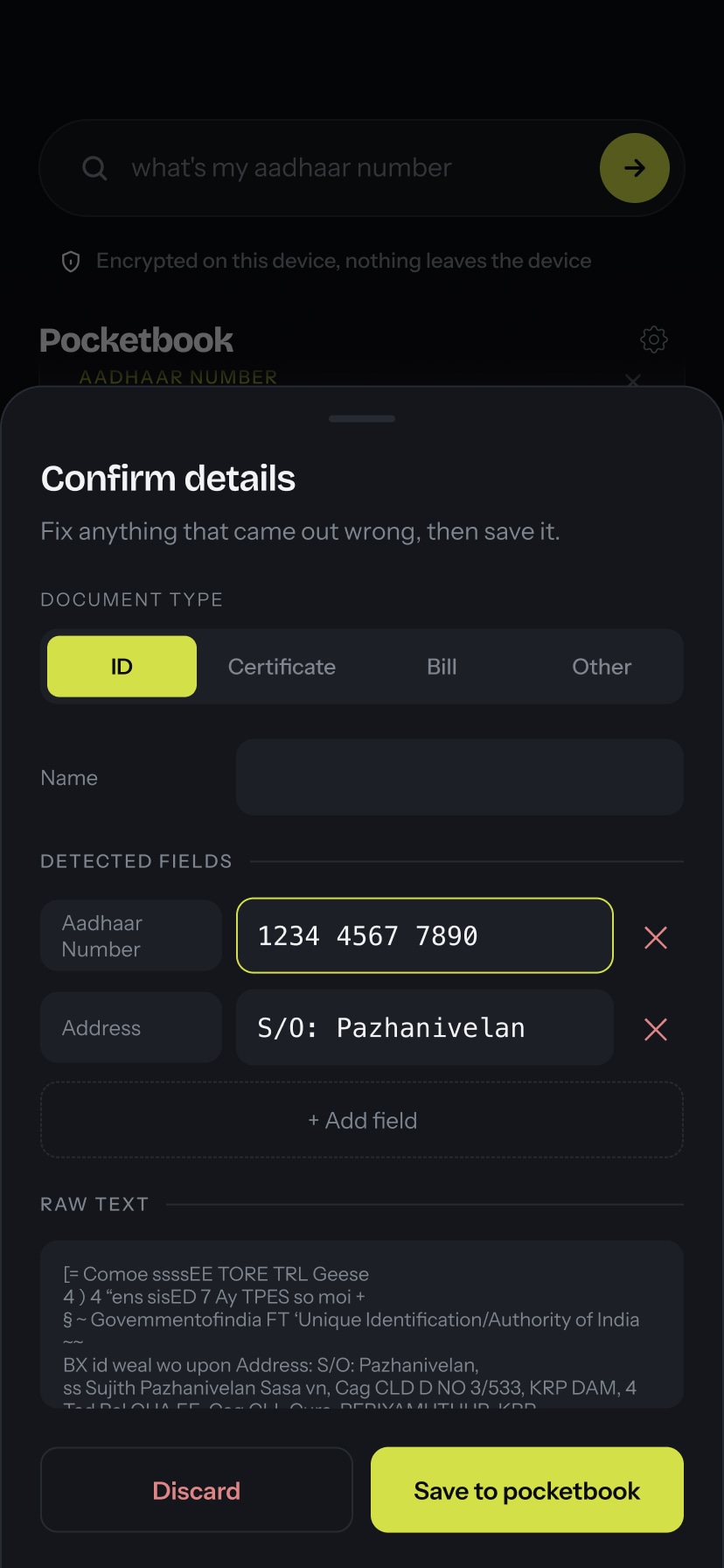
Confirm fields
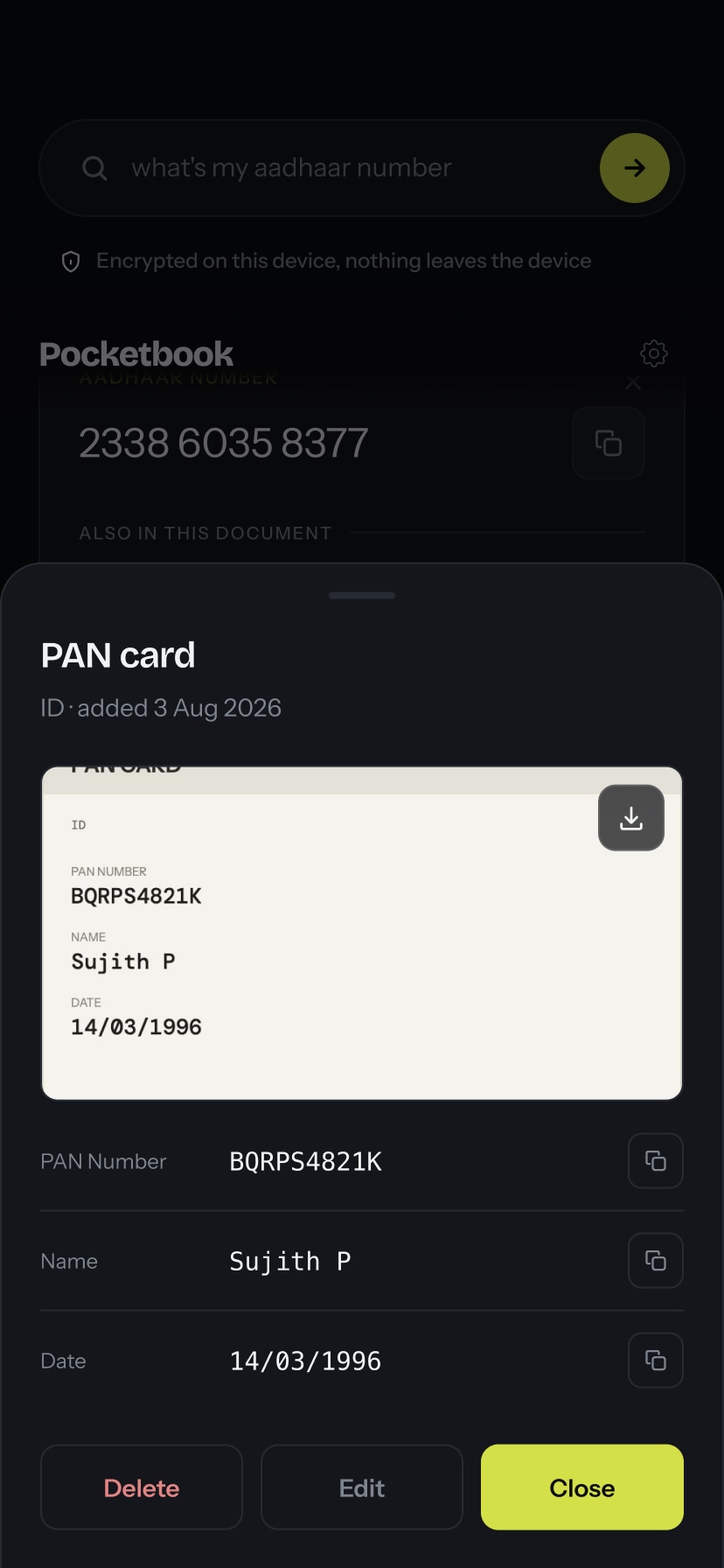
Edit document
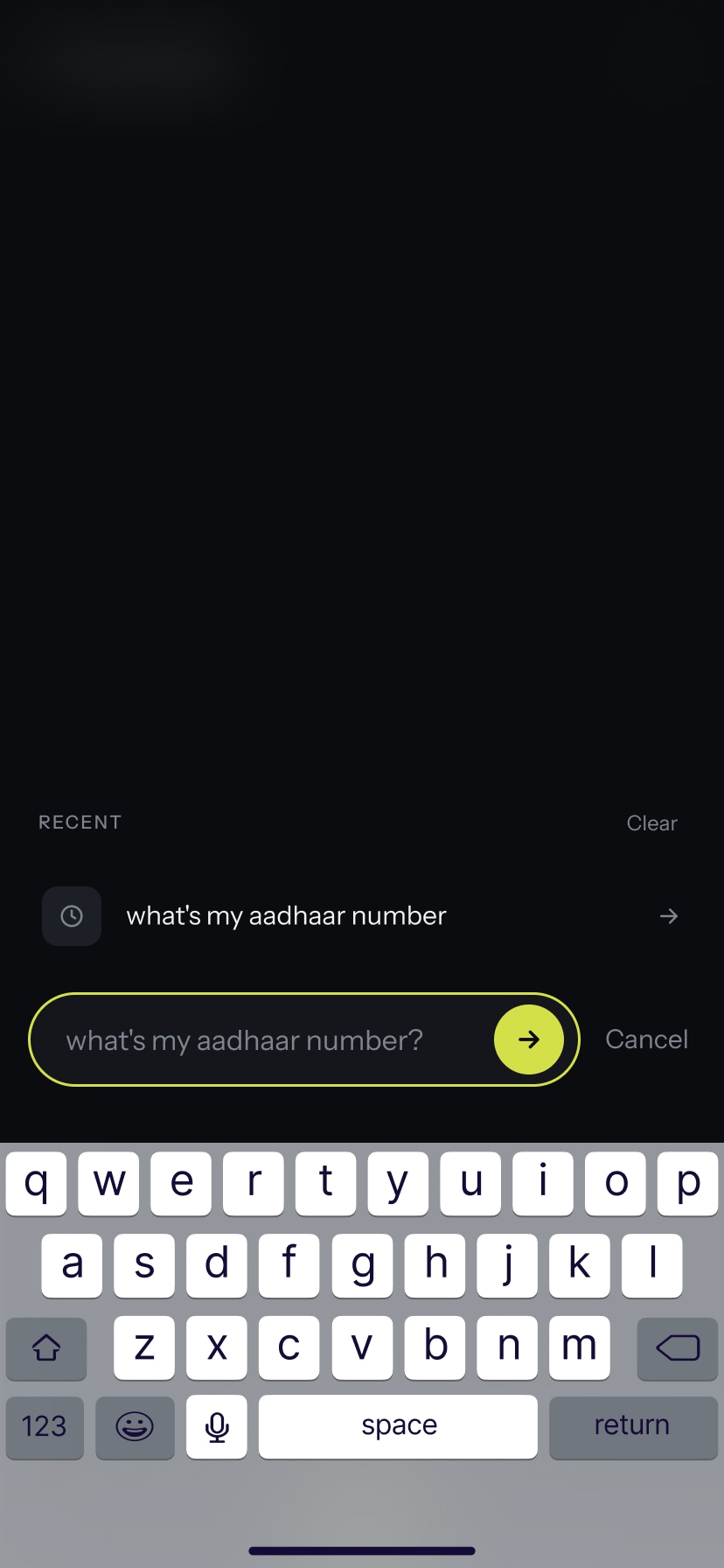
Fetch
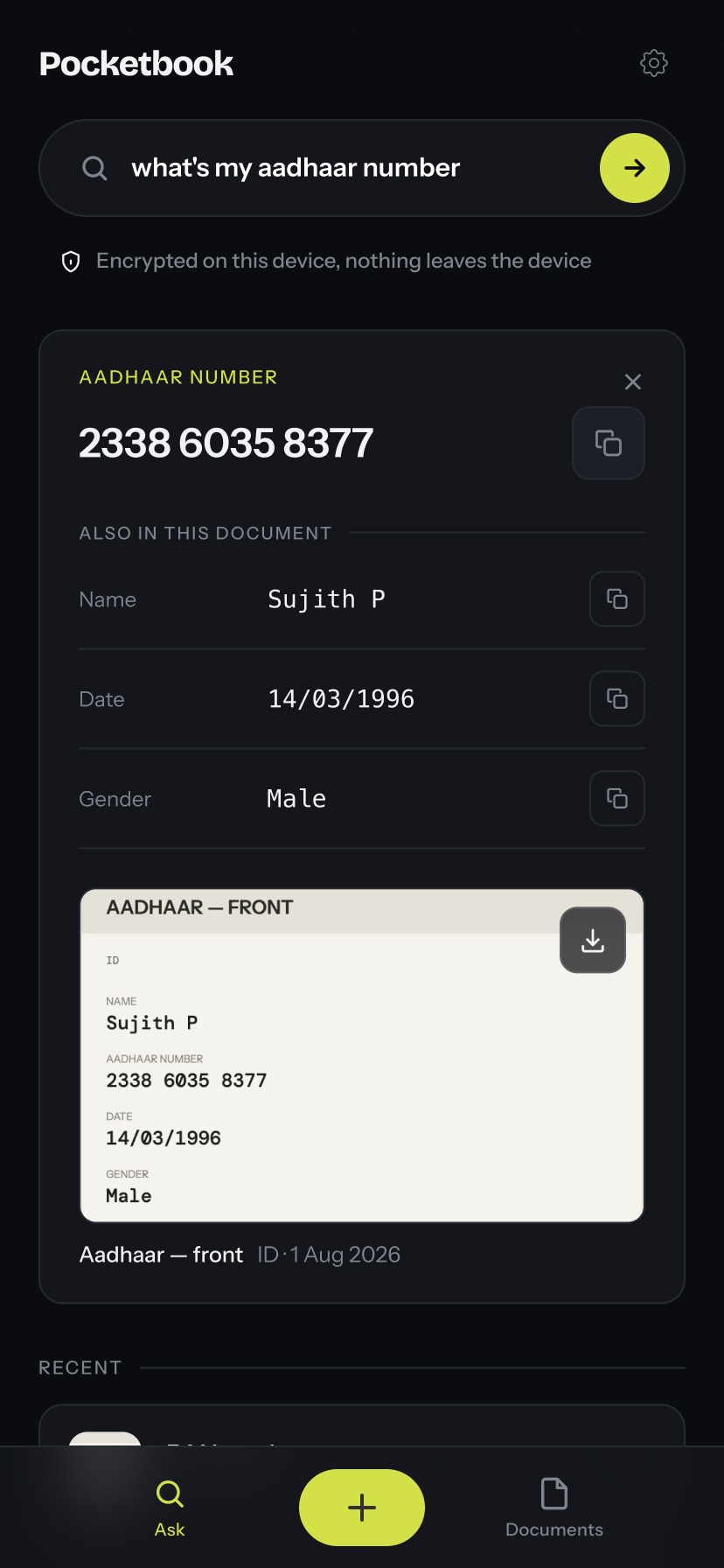
Fetch result
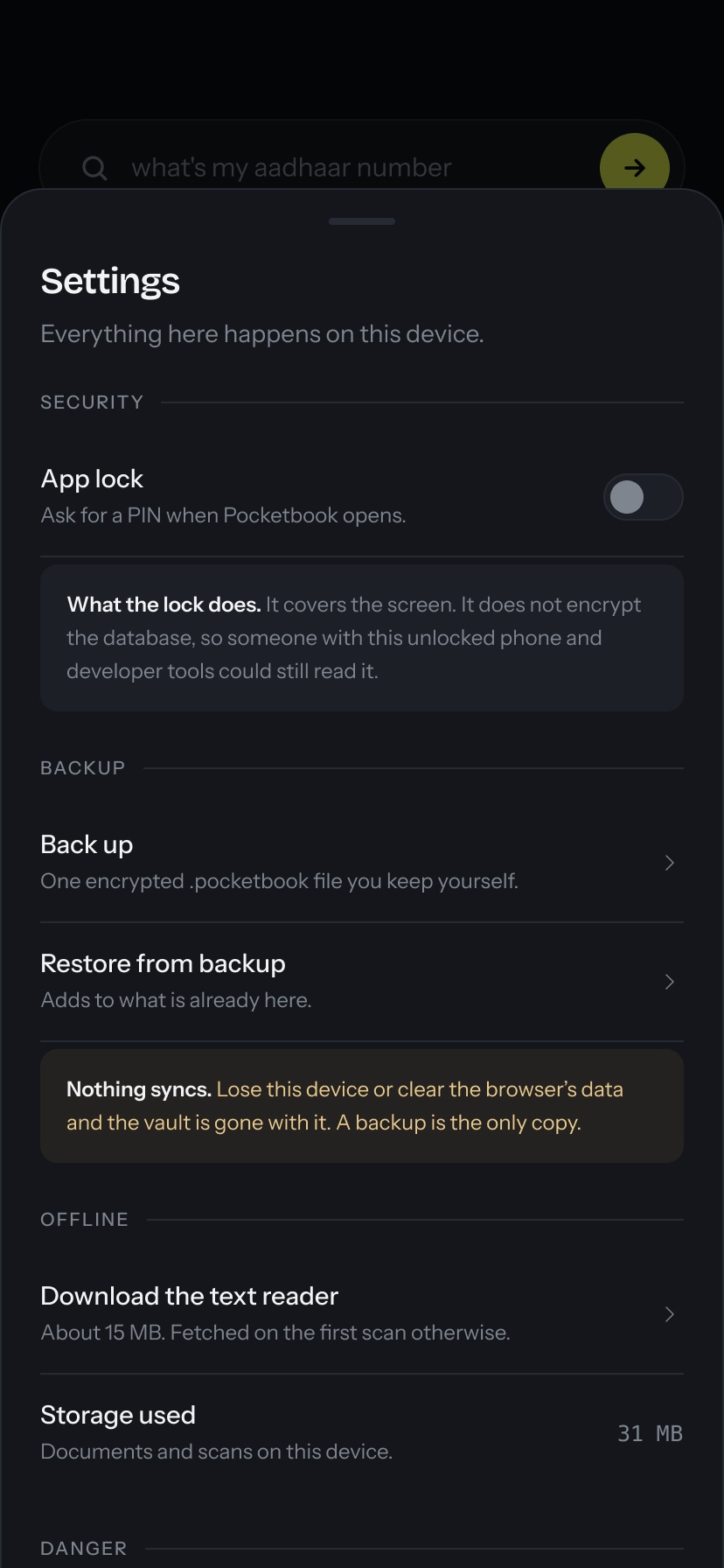
Settings
Learnings
- Shipping idea to production. Learned what it actually takes to carry a personal itch (one missing UAN number) all the way to a working, usable product, not just a prototype.
- Using AI in my favour. Learned to work with an AI coding assistant as a fast iteration partner: describe the change, review the diff, test live, repeat. Not trying to write and debug everything by hand.
- Choosing the right tool over the trendy one. Picking a text reader (OCR) engine over an AI model for retrieval was a deliberate trade-off: simpler, more predictable, and easier to keep fully local and private.
- Small, disciplined scope. Staying vanilla (no frameworks, no dependencies) and solving one clear problem well kept the app lightweight and easy to reason about, instead of over-building.